Extend your workspace

Plugins

Make Thurbox yours. Browse official and community add-ons, then follow each repository’s README for setup.

Submit a plugin · Plugin guide

Official means maintained by Thurbeen. Community entries are reviewed submissions, with support provided by their authors. Platform notes describe the repositories’ setup, not a compatibility guarantee. Check capability grants and pane conflicts before installing.

6 plugins

OfficialPane

thurbox-info-panel

Session, git, agent, usage and system readouts beside your terminal.

No preview yet
Explore the README
Author
Thurbeen
Platforms
Linux, macOS, Windows (pane; metrics depend on host)
Last update
Install command
Install
thurbox-cli plugin install git+https://github.com/Thurbeen/thurbox-info-panel

Add the info slot to layout.lua, then press F2. README currently has a text preview; follow its media as the panel evolves.

Repository & setup →
OfficialExtension

thurbox-auto-continue

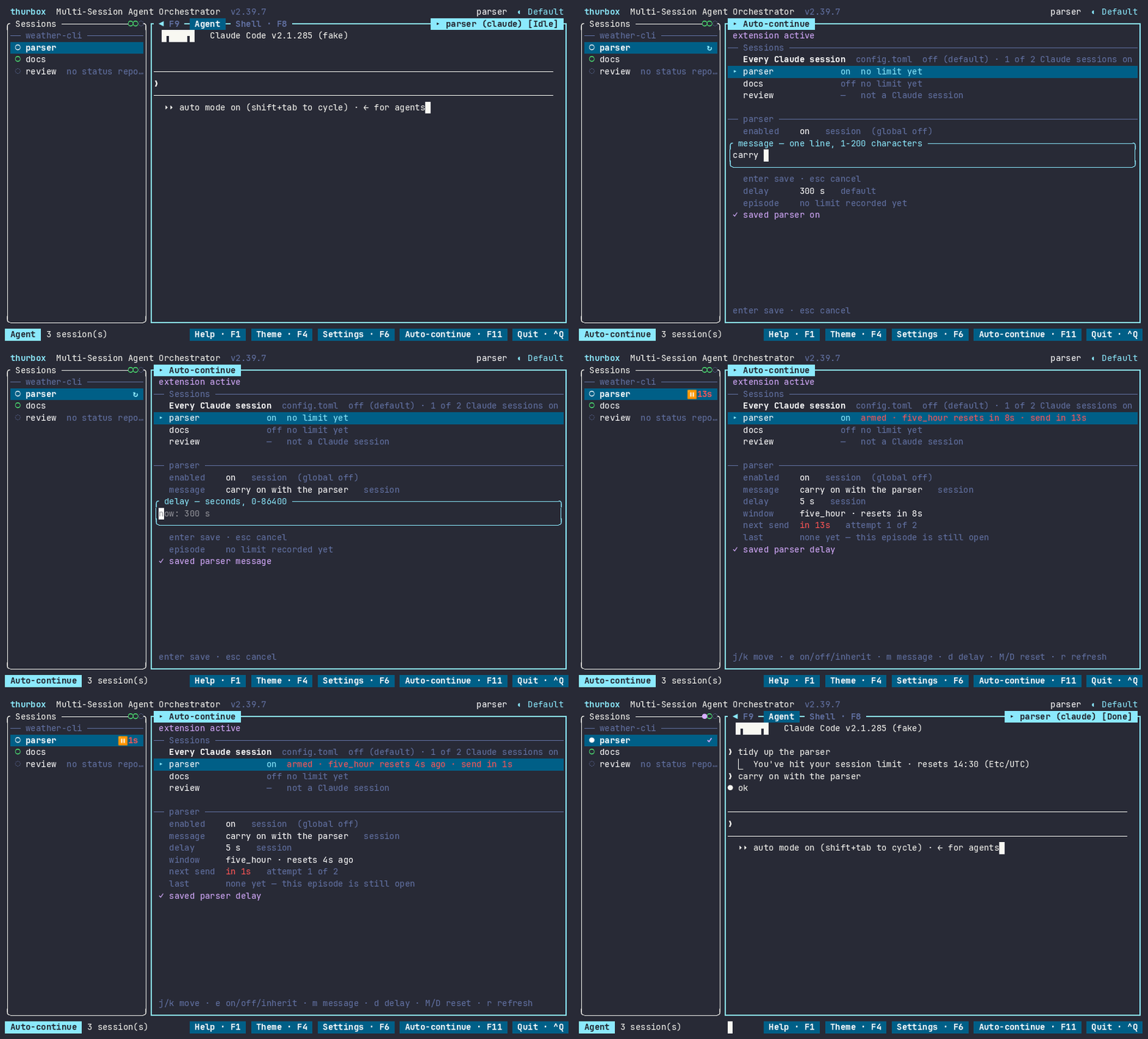
Resume Claude sessions once their usage window resets.

Auto continue in the Thurbox interface
Author
Thurbeen
Platforms
Linux, macOS, WSL (install on each host)
Last update
Install command
Install
git clone https://github.com/Thurbeen/thurbox-auto-continue
cd thurbox-auto-continue
./install.sh

Requires cargo or a prebuilt binary, Claude Code and Thurbox ≥ 2.36.2. Off by default. Follow the README to install both optional panes and grant run. Native Windows unsupported.

Repository & setup →
OfficialPane

thurbox-code-review

Review worktree diffs and send numbered notes to your agent.

Code review in the Thurbox interface
Author
Thurbeen
Platforms
Linux, macOS, Windows (Lua pane; optional shell commands need a POSIX shell)
Last update
Install command
Install
thurbox-cli plugin install git+https://github.com/Thurbeen/thurbox-code-review

Requires Thurbox ≥ 2.35.0. Replaces the bundled agent pane; follow README setup and capability grants. Cannot combine with the thurbox-files agent pane fork.

Repository & setup →
OfficialPane

thurbox-doom

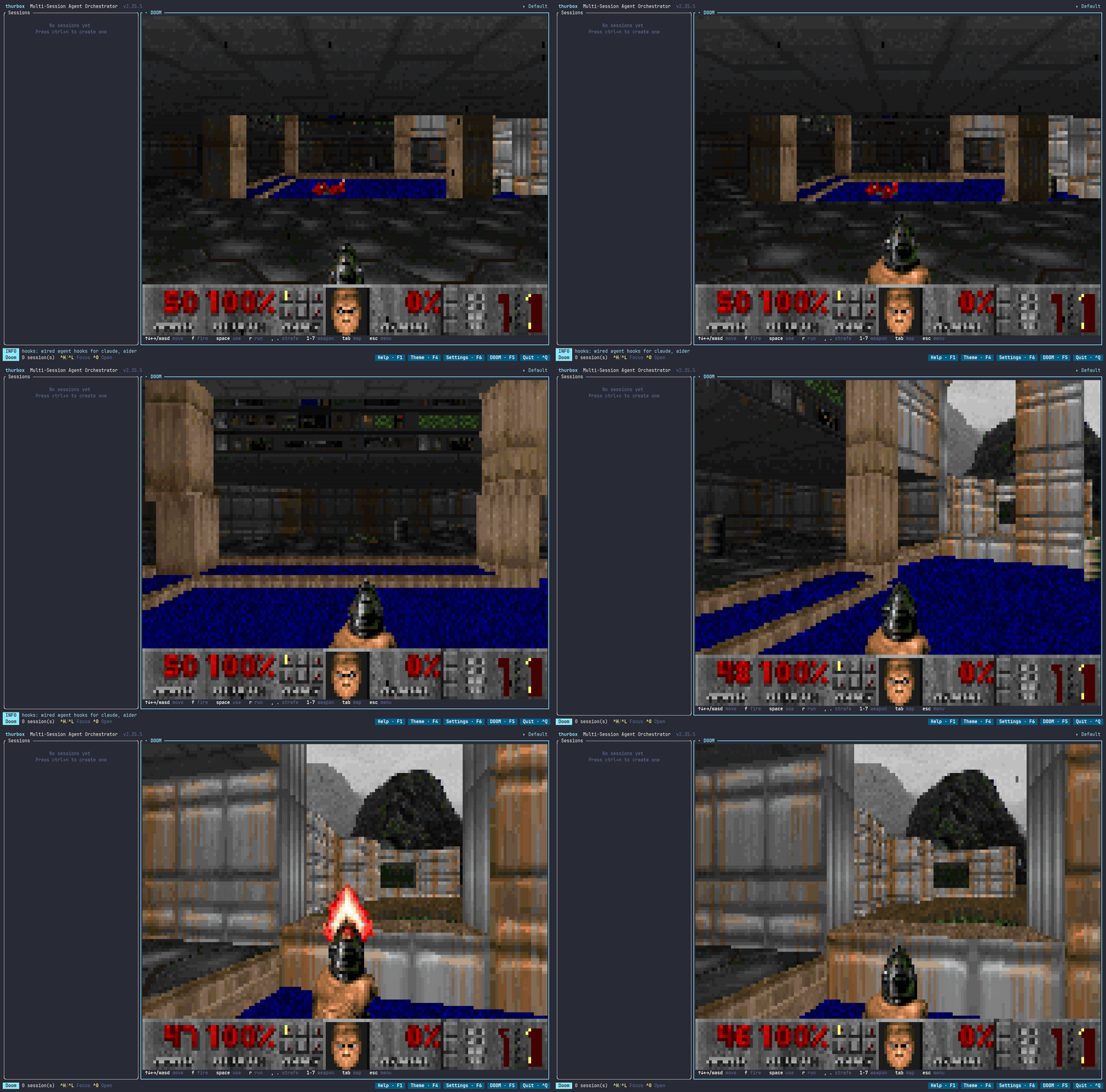
Play DOOM in an agent-pane tab, with a bundled engine and WADs.

Doom in the Thurbox interface
Author
Thurbeen
Platforms
Linux x86_64 (bundled engine), Other platforms (bring or build an engine)
Last update
Install command
Install
thurbox-cli plugin install git+https://github.com/Thurbeen/thurbox-doom

Install code-review for the integrated Doom tab, then grant its agent pane program. F5 opens Doom. GIF shows the earlier standalone pane; README documents current setup.

Repository & setup →
CommunityPane

thurbox-files

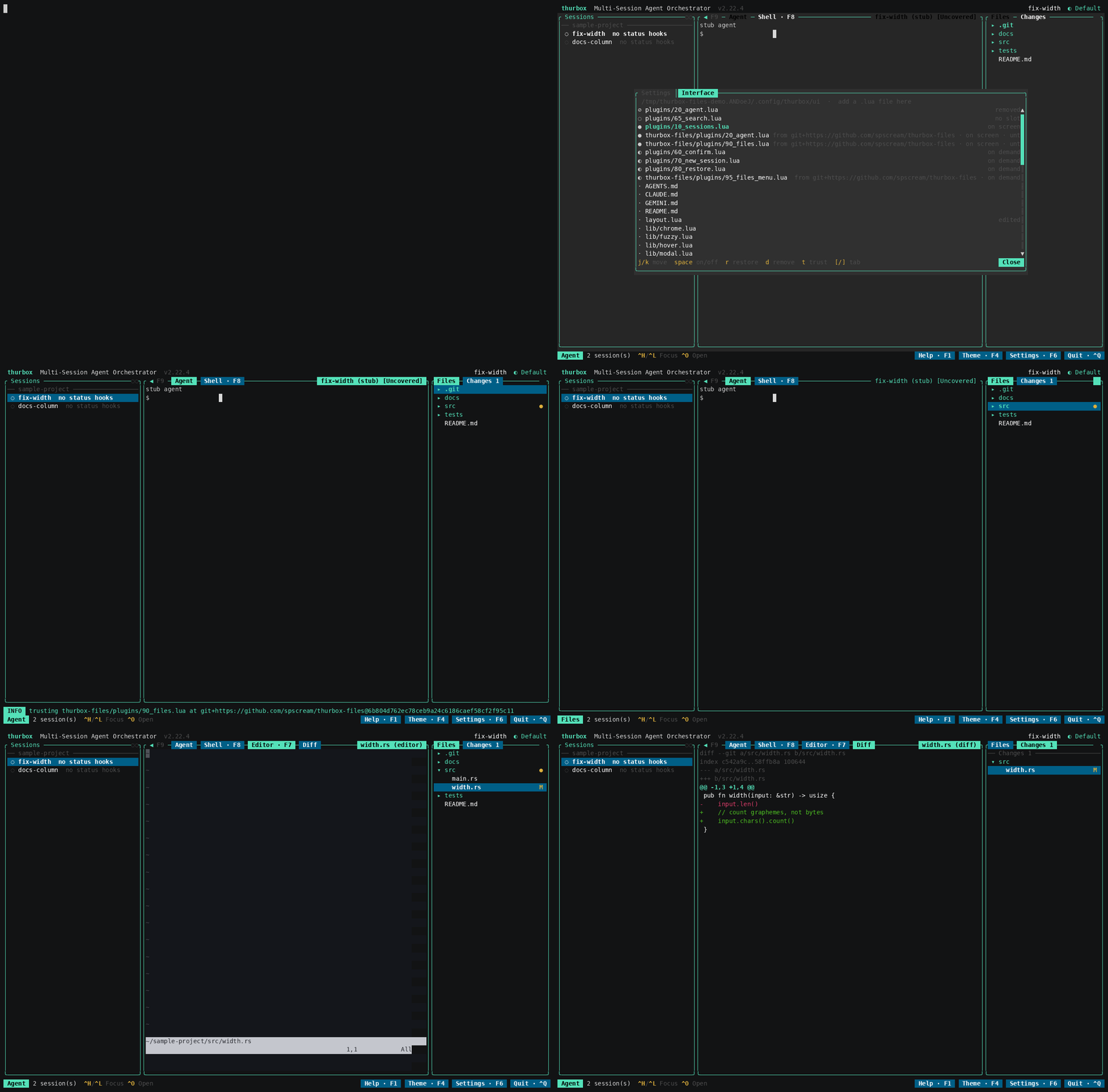
Browse files and changes, with editor and diff tabs beside the agent.

Files in the Thurbox interface
Author
spscream
Platforms
Linux (documented setup), Other platforms (POSIX tools and nvim required; unverified)
Last update
Install command
Install
thurbox-cli plugin install git+https://github.com/spscream/thurbox-files --as plugins/90_files.lua
thurbox-cli plugin install git+https://github.com/spscream/thurbox-files --as plugins/95_files_menu.lua
thurbox-cli plugin install git+https://github.com/spscream/thurbox-files --as plugins/20_agent.lua

Follow the README to replace the bundled agent pane, place the files slot in layout.lua and grant capabilities. Requires nvim. Conflicts with the code-review agent pane fork.

Repository & setup →
CommunityPane

thurbox-annotate

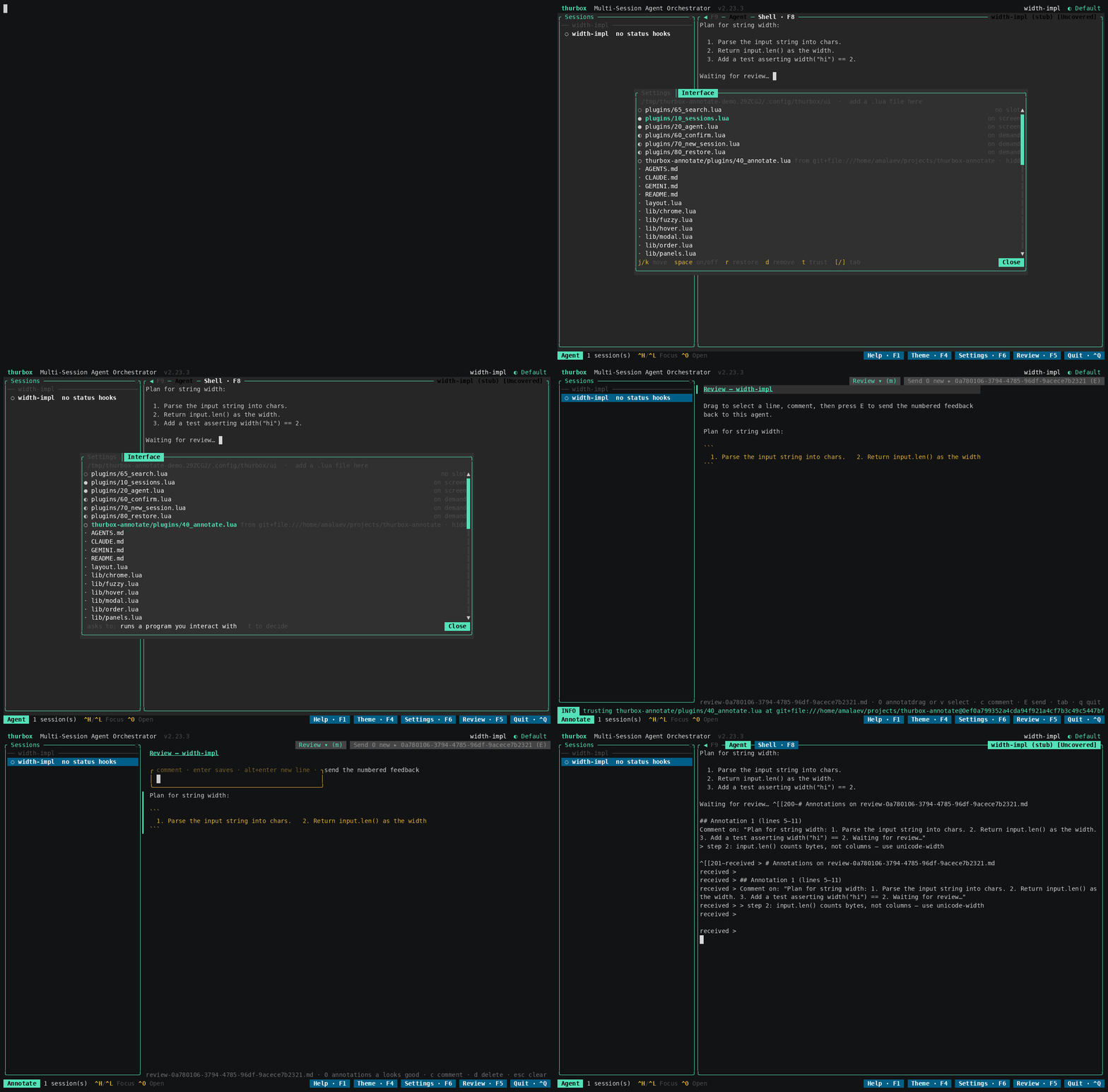
Annotate captured agent output, or collect notes on a live selection.

Annotate in the Thurbox interface
Author
spscream
Platforms
Linux, macOS, Windows / WSL (Lite clipboard support; Full requires POSIX scripts)
Last update
Install command
Install
thurbox-cli plugin install git+https://github.com/spscream/thurbox-annotate --as plugins/41_notes.lua

Shown command installs Lite; requires Thurbox ≥ 2.25.0. Grant run for agent clipboard selection. Full uses plannotator-tui and the program capability; see README for its installer. F2 opens Lite; GIF shows Full.

Repository & setup →

Share your plugin

Add the thurbox-plugin GitHub topic to your repository, then open a PR adding one entry to plugins.json. Include supported platforms, setup notes and a screenshot or GIF when available.

The submission template and schema describe the required fields and checks. Maintainers review entries before they appear here; a topic alone does not publish a listing.

This catalog uses checked-in metadata; “Last update” is the recorded repository push date. Updates arrive through reviewed PRs. Media is linked directly from the author’s repository.

Official repositories outside this catalog

thurbox-plugin-orchestrator is archived and targets the earlier admin plugin model. thurbox-discord manages the community Discord server; it is not a Thurbox add-on.